01 / Intelligence
Google Gemini API
Draft structured scripts, direct the narration, and create AI imagery. Chapters and scenes turn model output into material that can be edited and refined.
- Script writing
- Voice & narration
- AI imagery
AI video studio · Product case study
From a topic to a film. With room to direct.
A video studio for creators with a story in mind. I designed and built CinePulse to bring AI-assisted writing, real archival visuals, narration, and editing into one continuous workflow, with creative control at every step.
 CinePulseStudio
01 / The idea
A faceless video still needs a point of view. The challenge was connecting the pieces of production while leaving room to change the script, choose better imagery, and shape the pacing.
CinePulse starts with a topic and builds an editable production plan. AI-assisted videos and archive-based documentaries share a studio, so the creator can move from the first idea to the final cut without losing the thread.
02 / The workflow
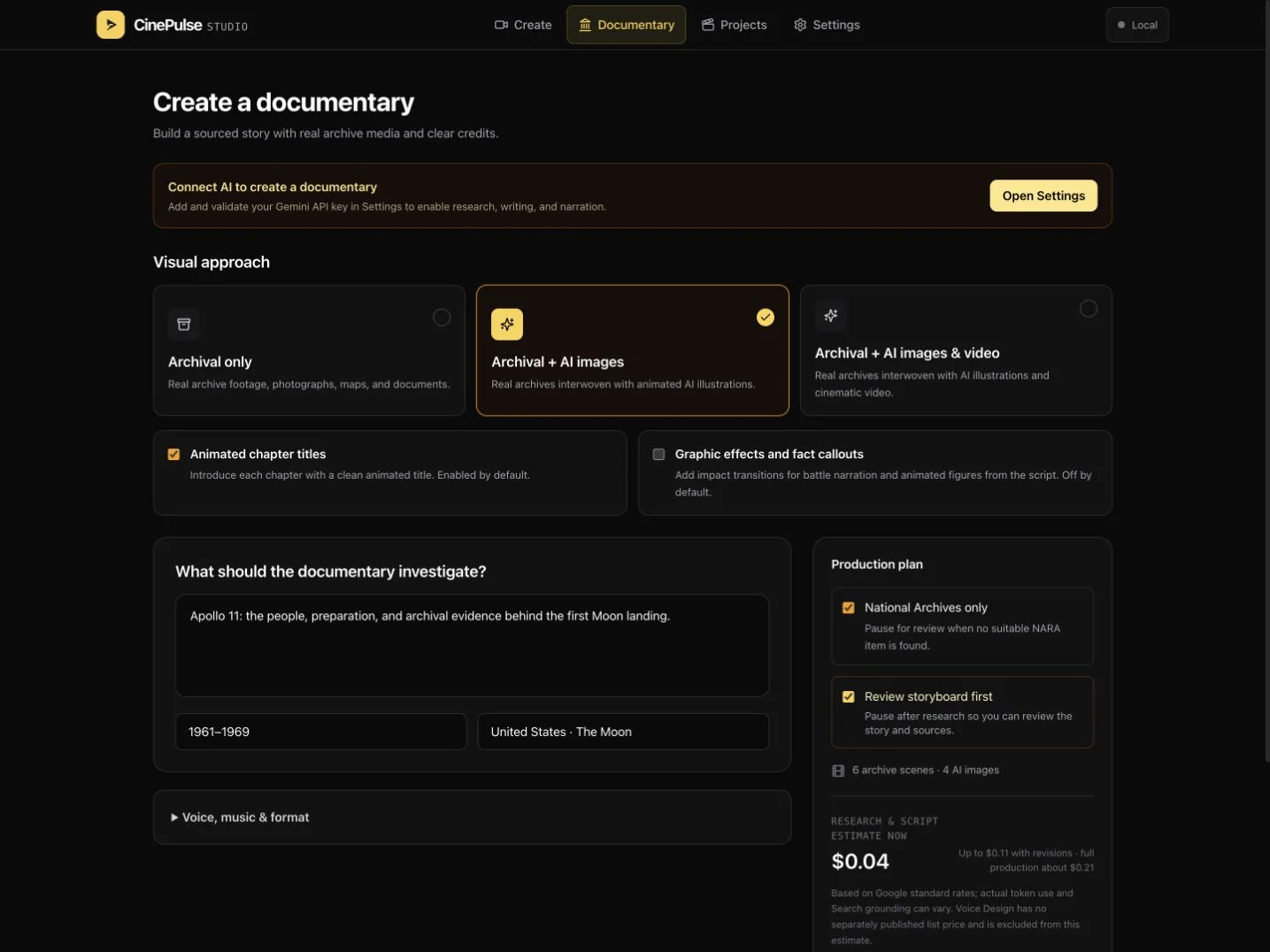
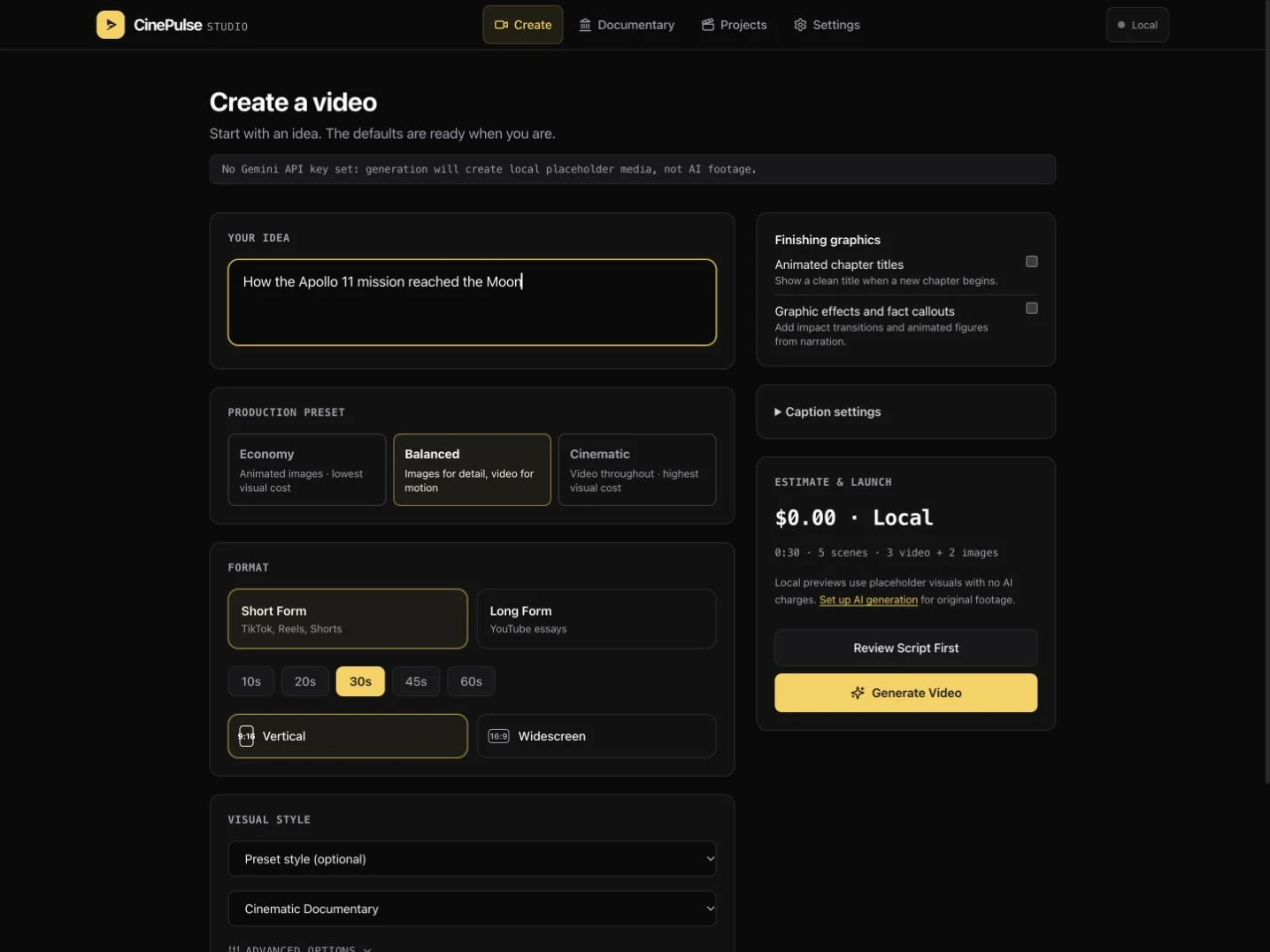
A guided start opens into a flexible editing workspace. Explore the actual app screens below.
Describe the story, choose a format, and set a visual direction. Economy, Balanced, and Cinematic presets make the first decisions approachable while keeping deeper controls available.
Actual app screen ↗ Select image to enlarge
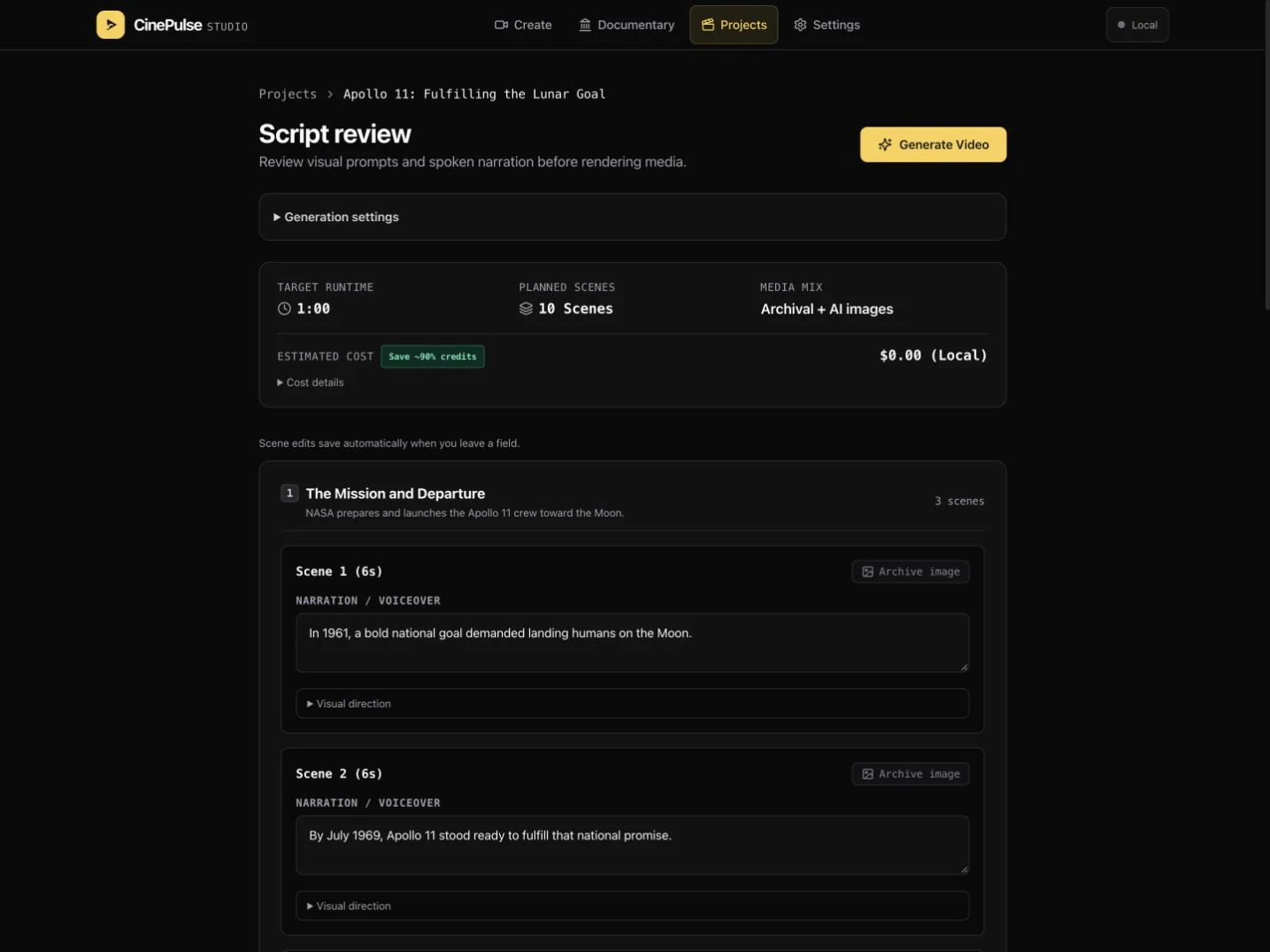
Chapters break the narrative into scenes. Spoken narration and visual direction can be reviewed before media is produced, with runtime, the media mix, and estimated cost in view.
Actual app screen ↗ Select image to enlarge
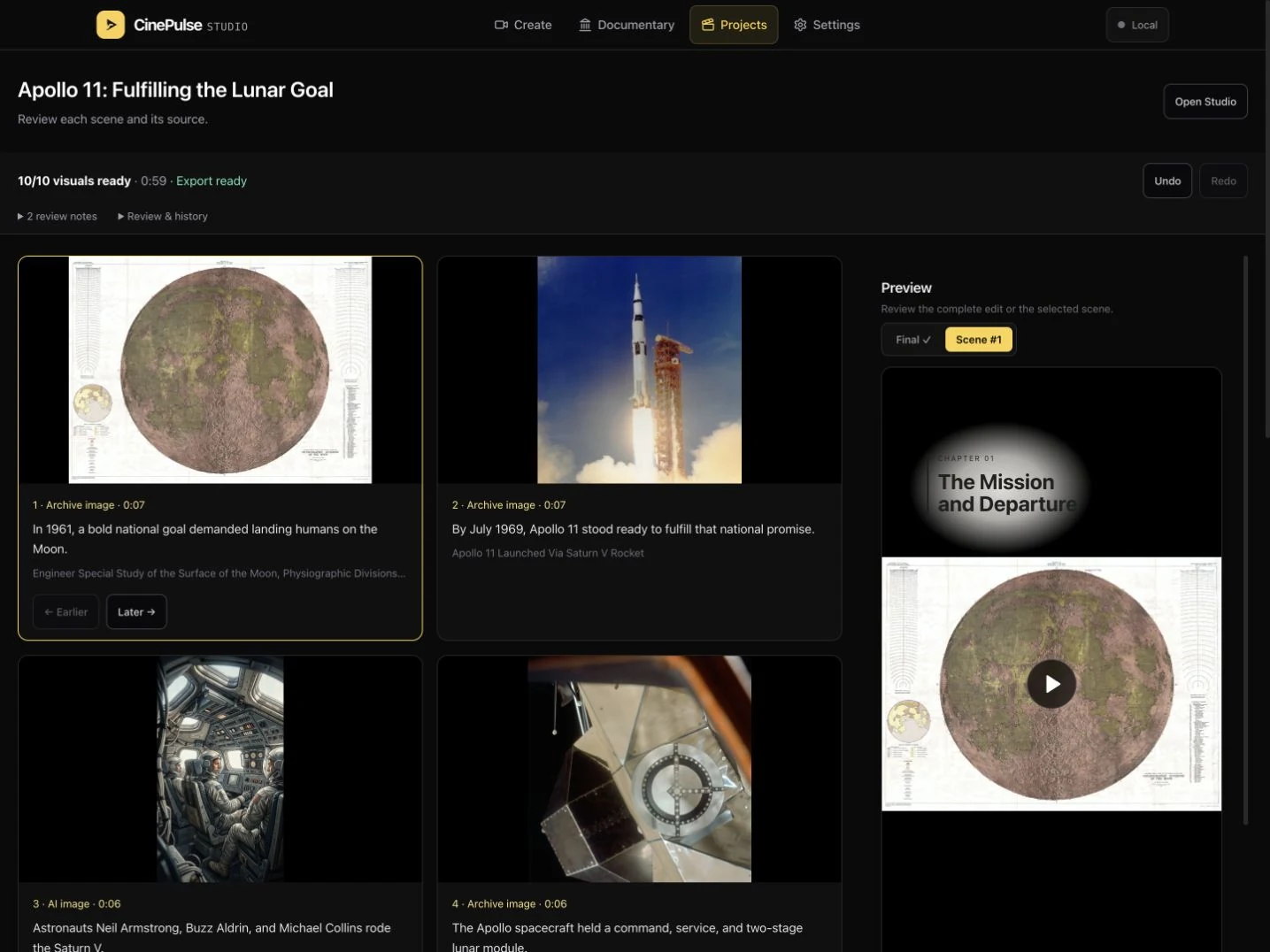
The storyboard puts imagery beside the narration it supports. Archive items and AI illustrations are identified scene by scene, giving the creator a clear place to review, replace, and reorder them.
Actual app screen ↗ Select image to enlarge
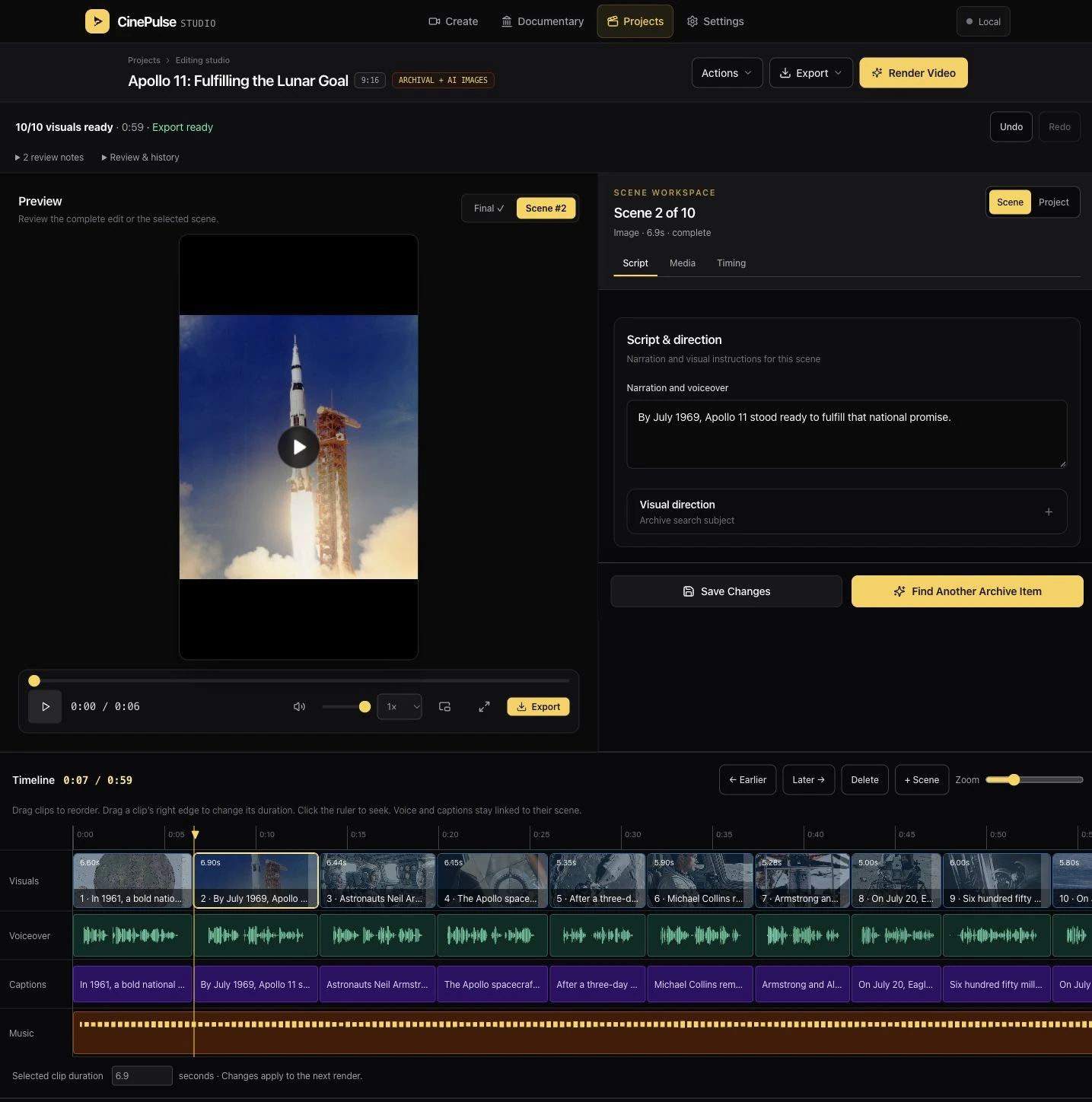
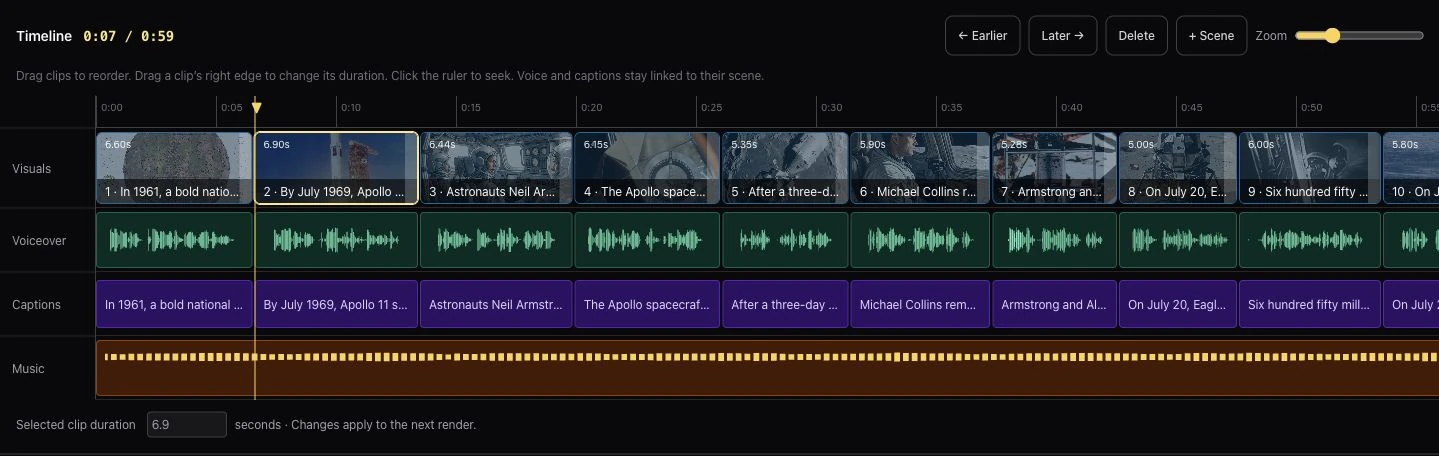
A persistent preview, focused scene inspector, and linked timeline keep the edit connected. Adjust narration, framing, timing, captions, and sound; compare replacement takes and save snapshots along the way.
Actual app screen ↗ Select image to enlarge
03 / The evidence
Documentaries brought a different design problem: the source matters as much as the image. I integrated the National Archives Catalog API to bring real archival photographs and footage into production, with catalog records attached to the material.
The workflow brings repository, date, creator, and rights information into scene review and carries available credits into the export. Searches can reach across additional public archives, while a National Archives-only option keeps the source choice explicit.
Choose the visual approachArchive-only or archives paired with AI imagery and footage.
Keep the origin legibleSource records remain accessible; AI scenes carry a “Digitally Recreated” label.
Leave room for reviewThe storyboard pauses production so the story and its evidence can be checked.
Under the surface / The integrations
I connected Google Gemini with public archive APIs to bring story development and real historical visuals into the same studio. The design turns separate services into a production workflow the creator can review and direct.
Draft structured scripts, direct the narration, and create AI imagery. Chapters and scenes turn model output into material that can be edited and refined.
Retrieve archival photographs and footage from the U.S. National Archives Catalog. Preserve the source title, creator, date, and recorded rights alongside each selected item.
The story, the sources, and the edit stay connected through the storyboard and timeline.
04 / The visual language
The studio gives the media space. Its identity brings warmth, rhythm, and a recognizable point of view.
CinePulseStudio#FCD34D#0A0A0A#FAFAFADark surfaces recede behind the preview. Amber makes selected scenes and primary actions easy to find.
Presets simplify the start. Focused inspectors and expandable controls make room for finer direction.
Waveforms, proportional clips, and timecodes turn an abstract production process into a readable edit.
Inside the film / Chapter graphics
The chapter-title treatment went through several directions before settling on a fine vertical rule, dark type, and a soft white wash. It keeps the original image present while making the chapter easy to read.
The final treatment was checked in the rendered video, connecting the visual concept to the actual output.
Actual rendered frame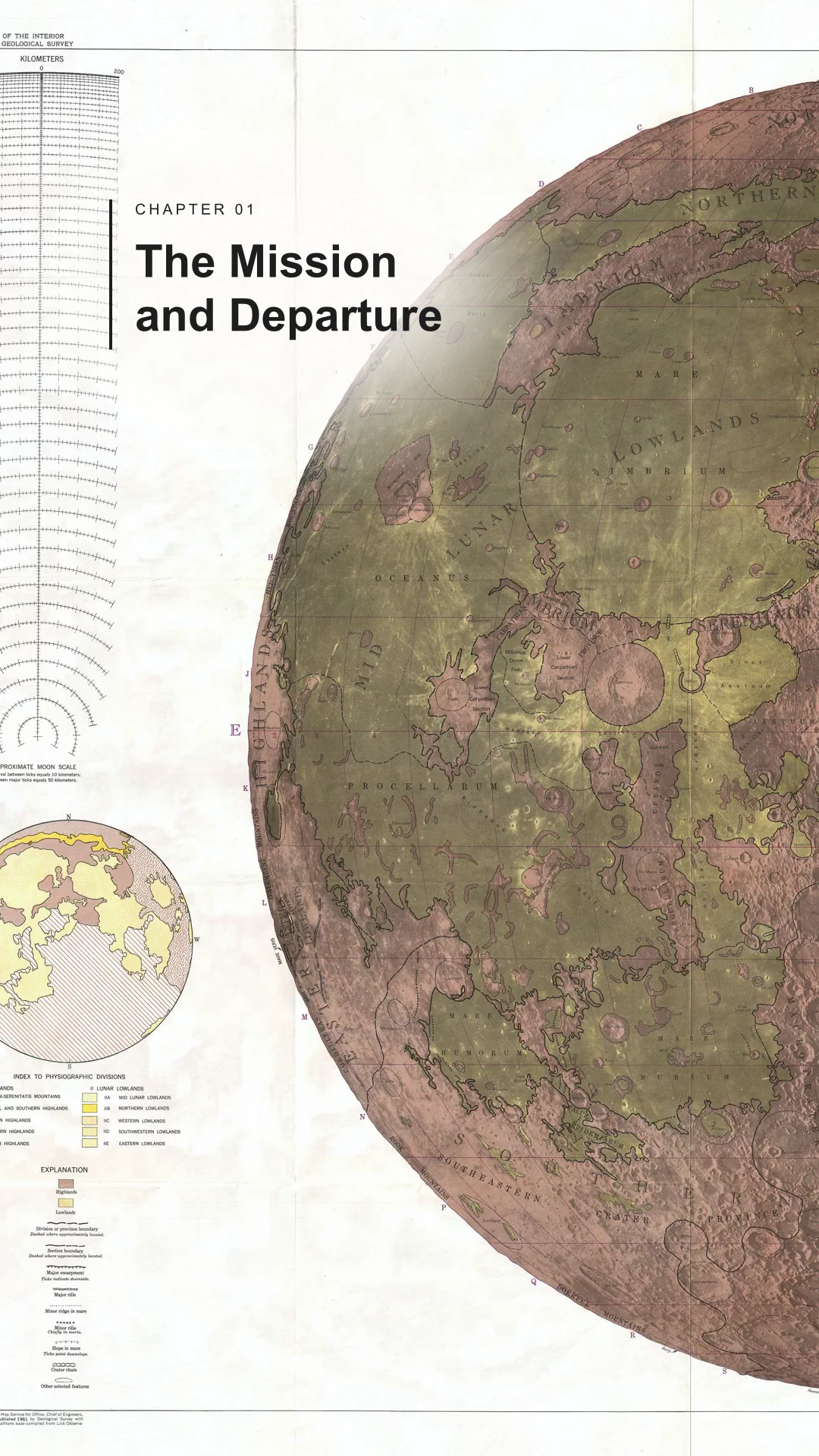
05 / The final cut
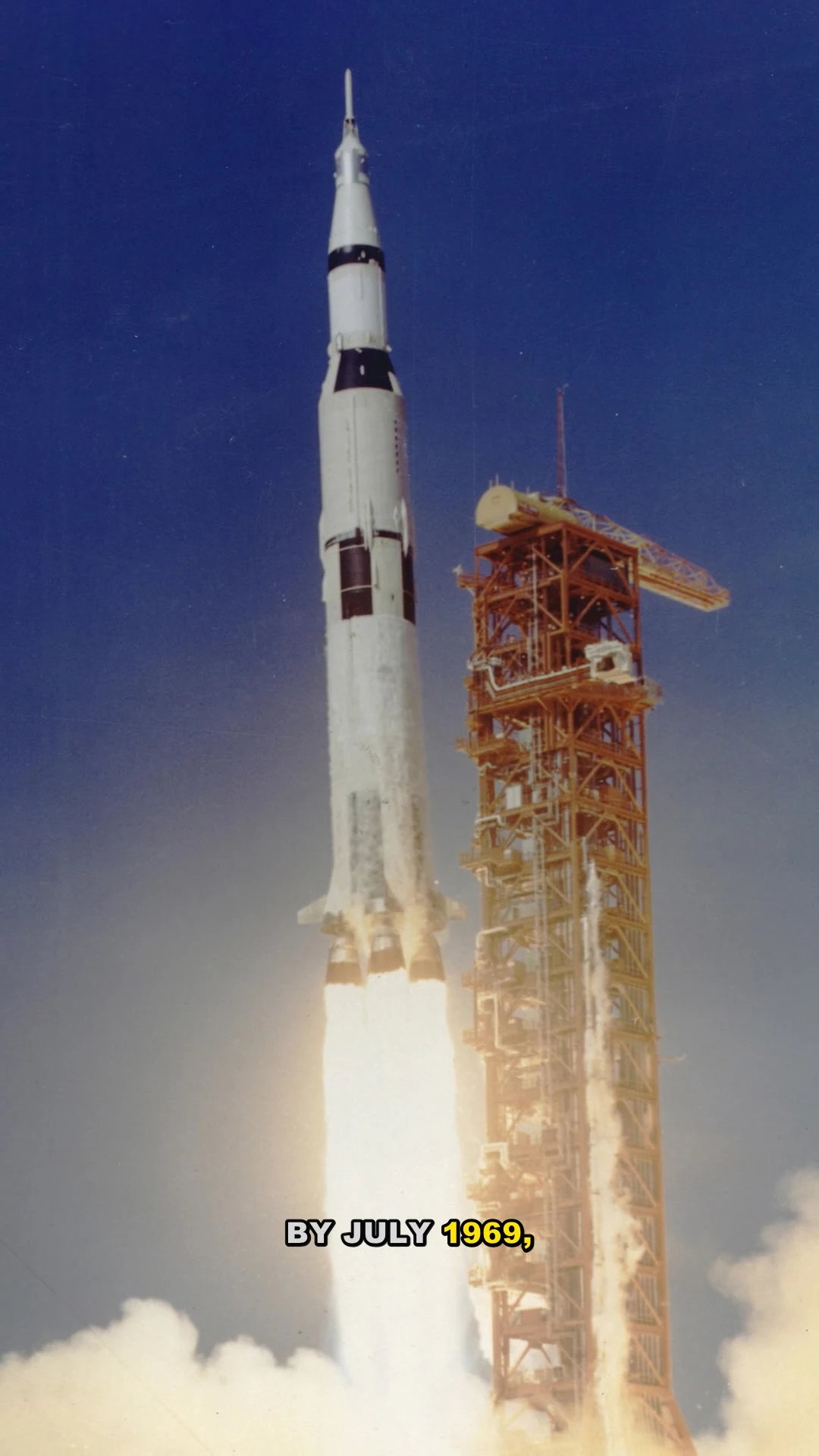
This Apollo 11 short was produced in CinePulse. The finished piece brings archival imagery, disclosed AI illustrations, directed narration, music, captions, and chapter graphics into one export.
Web preview of the finished export. Archive and music credits are included below.
The takeaway
CinePulse grew through making real videos, finding friction, and refining the tools around it. The result is a working application where the interface, the production system, and the visual output are designed together.
An ongoing, self-directed product by James Mirdamadi